
<strong>Introducing Apple Pay<sup>®</sup>. The safer, easier way to pay.</strong>

Available on iPhone<sup>®</sup> devices, Apple Pay raises the bar for secure, convenient transactions. Just enter your cards into your phone’s Apple Wallet<sup>®</sup>. Then shop in-store or online at thousands of merchant locations across the nation – with more joining every day.
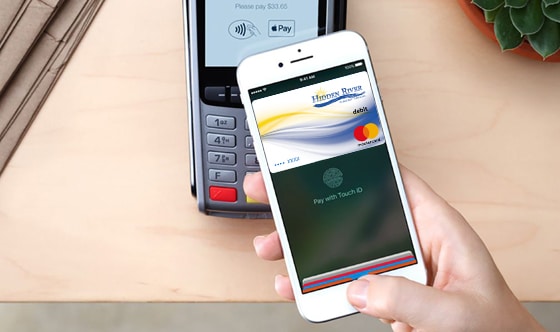

mobile phone using apple pay

<strong>Benefits of Apple Pay over conventional card-based payments:</strong>

  • Make a purchase by holding your phone near a participating merchant’s contactless reader, with your finger on the Touch ID<sup>®</sup> sensor.
  • Use your iPad Air<sup>®</sup> and iPad Mini<sup>®</sup> 3 for online-only shopping within certain apps.
  • Apple Pay transactions are free – message or data rates may apply depending on your wireless plan.
  • Your name and card number remain anonymous to cashiers and bystanders, making online and mobile payments more secure than ever before.
  • Your phone carries only a unique, encrypted Device Account Number rather than your actual debit or credit card numbers.
apple pay logo

<strong>Getting started is easy:</strong>

  • Make sure you have the latest iOS version on your iPhone device.
  • Open your Apple Wallet, swipe down and tap the plus sign.
  • Enter your card by snapping a photo with your device’s iSight<sup>®</sup> camera, or add the data manually (if you already have a card in iTunes<sup>®</sup>, you’ll be prompted to add it to your Wallet).
  • Look for the Apple Pay logo at participating merchants to begin using Apple Pay.


<strong>Make shopping easier and more secure – enter your Hidden River Credit Union card information and start using Apple Pay today.</strong>

<em>Apple, the Apple logo, Apple Pay, iPhone, Apple Wallet, Touch ID, iPad Air, iPad mini, iSight, and iTunes are registered trademarks of Apple Inc.</em>